
Consistent Character AI: Create New Images from a Character Reference
Use a saved Character or Look in Genify's Image workflow to guide one new image.
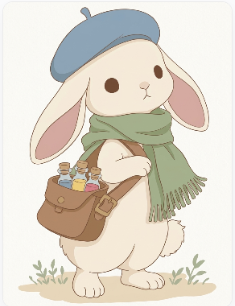
Character reference example
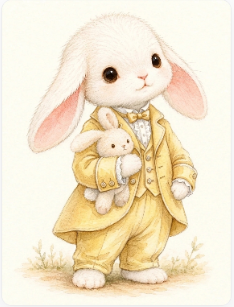
Generated outfit-change result
Character reference and outfit-change example
Prompt: change しろ · dress clothes to yellow
(English: “Change Shiro's outfit to yellow.”) The result also includes a small companion rabbit.
Keep a visual anchor for the next image.
Choose a saved Character and the Look that fits the appearance you need. A reference guides the new image, while results may still vary.
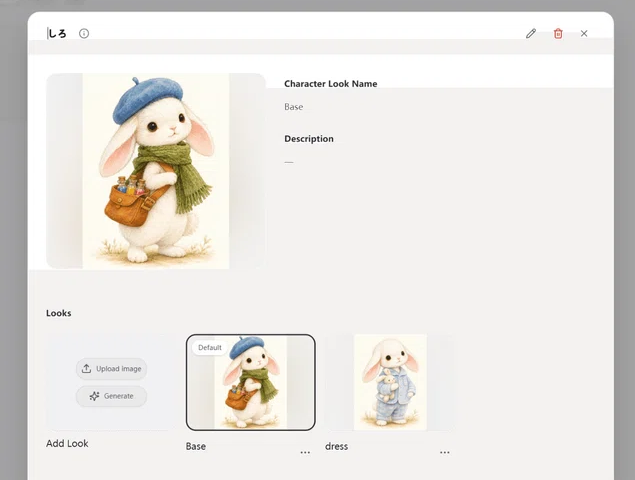
Character → Look → Prompt → Result
- 01
Character
In Image mode, type @ and choose a saved Character reference.
- 02
Look
Select Base or another saved Look for the appearance you intend to use.
- 03
Prompt
Describe one new scene or change, plus the details that should remain recognizable.
- 04
Result
Submit in the workspace, then inspect the image against the reference.
A reference helps. Your eyes make the final call.
One recorded outfit change alongside a Character reference example. Not a demonstration of identical character appearance across multiple scenes.
- Identity cuesCompare face, ears, markings, and accessories.
- Requested changeCheck the new clothes or setting against your prompt.
- Unexpected detailsDecide whether added elements, such as the small rabbit in this result, belong in your scene.
Character reference, clearly explained.
How can I create consistent characters with AI?
Start with a saved Character and the intended Look, then compare each new result with that reference. A saved reference helps guide the request, but it cannot promise identical results.
Does a saved Character make every image identical?
No. A reference can guide a new image, but results may still vary. Compare the features that matter to your brief.
Can I change the outfit?
You can describe an outfit change in the Image prompt and review the result against your saved reference. The example above shows one yellow-outfit request.
Will this create a sequence or a finished book?
This page covers one new Image task. A sequence of story illustrations and any later page layout are separate work.
What should I check before I submit?
Review the selected Character or Look and the estimate displayed by the current Image composer before submitting.
Start from a saved Character or Look.
The existing Image workflow opens without starting generation.